> For the complete documentation index, see [llms.txt](https://docs.snackprompt.com/llms.txt). Markdown versions of documentation pages are available by appending `.md` to page URLs; this page is available as [Markdown](https://docs.snackprompt.com/next-steps/ai-images.md).
# AI Images
A practical guide to using artificial intelligence in the creation of visual assets, making your content and interactions richer and more professional.
An image prompt is a specific set of visual instructions and descriptive text provided to an AI model to generate a unique graphic result. It acts as the "creative bridge" between your imagination and the machine's pixels, guiding the AI to render exactly what you envision.
#### How it works:
* The Creative Blueprint: It translates abstract ideas into concrete visual elements like subject, setting, and mood.
* The Art Director: It dictates technical details such as lighting, camera angles, color palettes, and artistic styles (e.g., hyperrealism, oil painting, or 3D render).
* The Precision Tool: By using specific keywords and descriptors, the prompt narrows down the AI's vast database to produce a cohesive and high-quality image.
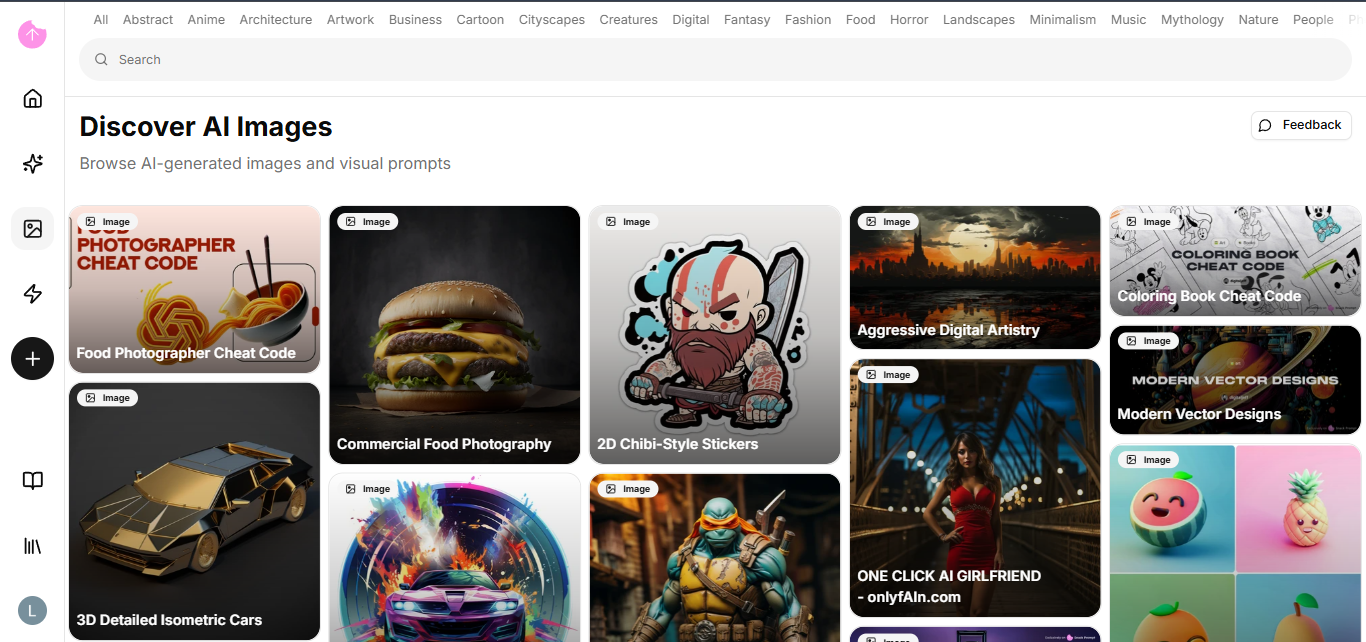
Below are some examples of image prompts from the platform:
1. [Coloring Book Cheat Code](https://snackprompt.com/e/image/coloring-book-cheat-code-R1NYQhoqy)
2. [Food Photographer Cheat Code](https://snackprompt.com/e/image/food-photographer-cheat-code-1-psmdX1x8s)
3. [2D Chibi-Style Stickers](https://snackprompt.com/e/image/2d-chibi-style-stickers-WYTs8wSgu)
### How do I edit an AI Image?
The page and editing mode are exactly the same as the prompt; if you haven't checked it yet, please go back a few steps.
{% hint style="info" %}
In image prompts, the syntax and word order are crucial. Most AI models give more weight to the words at the beginning of the prompt, so always put your main subject first.
{% endhint %}
Now that you know about AI Images, we can move on to Automations.