> For the complete documentation index, see [llms.txt](https://docs.snackprompt.com/llms.txt). Markdown versions of documentation pages are available by appending `.md` to page URLs; this page is available as [Markdown](https://docs.snackprompt.com/next-steps/api-keys.md).
# Get your API key
Learn how to generate and manage your API keys to integrate Snack Prompt features into your own applications and systems.
An API Key is a unique string of characters (letters and numbers) that serves as a combination of username and password for systems. It allows different software to connect and exchange information securely.
### What are they for?
1. Authentication: It ensures that only authorized people or systems access a tool (e.g., connecting your website to ChatGPT).
2. Usage Control: It allows the service provider to know who is making the requests, in order to charge for usage or limit access speed.
3. Security: If an integration is compromised, you can simply "revoke" (cancel) that specific key without having to change your main password.
### Where can I find access keys on Snack Prompt?
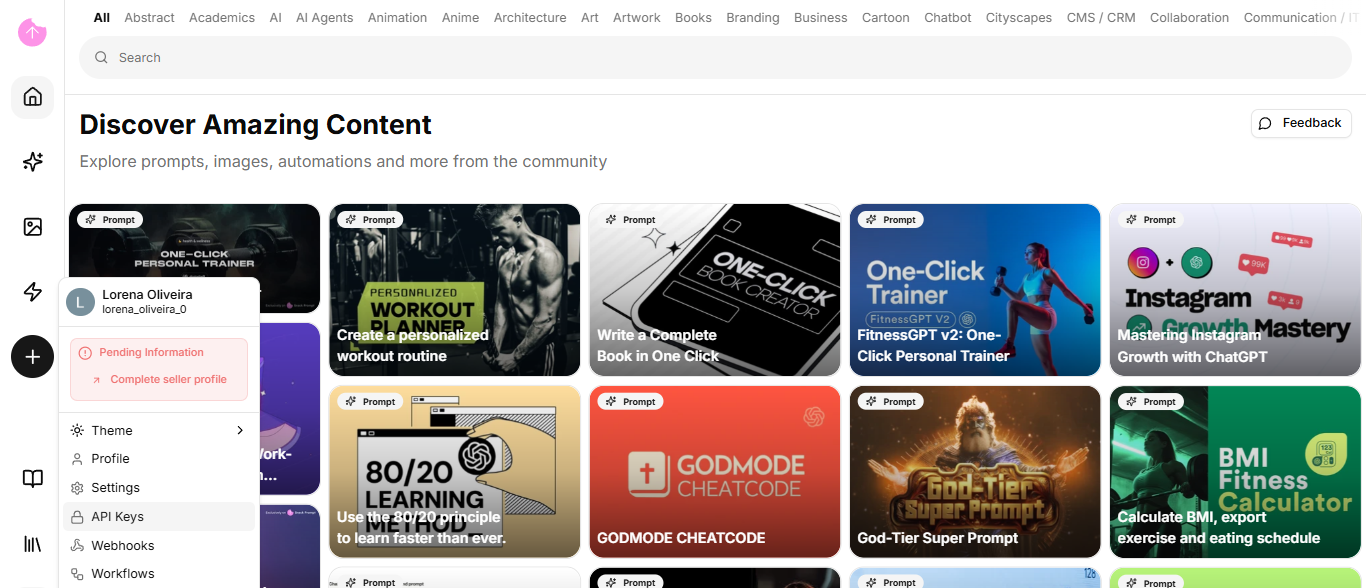
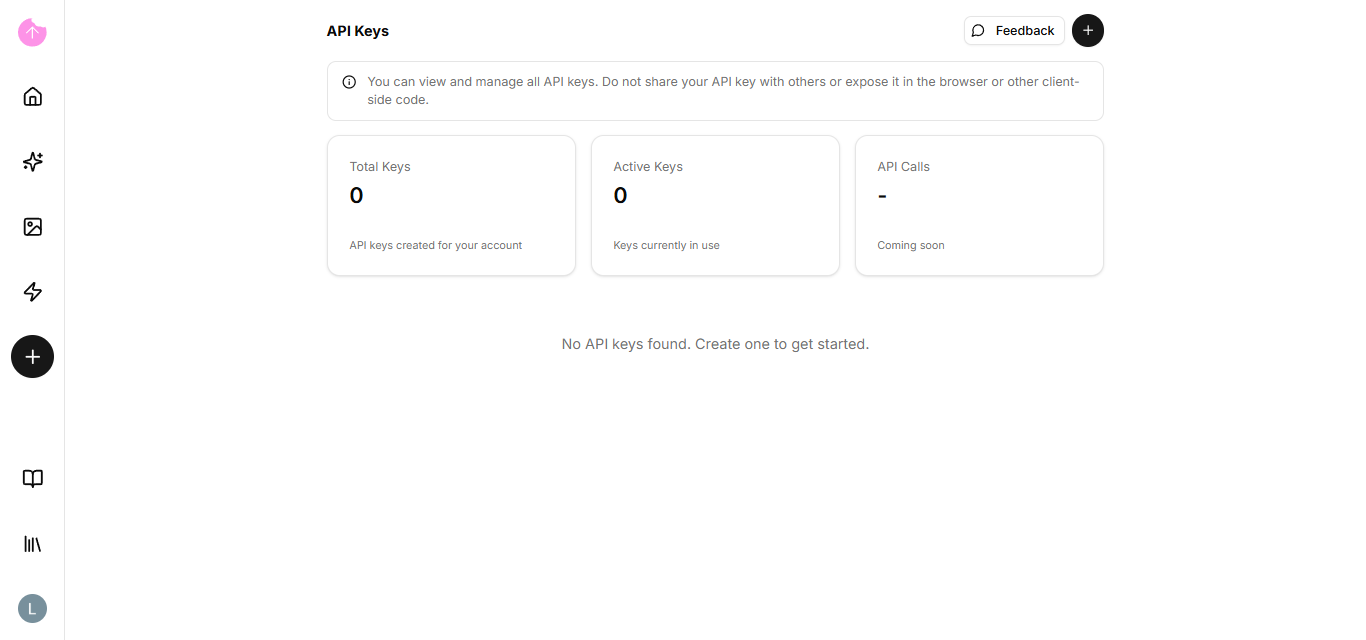
In the left sidebar, by clicking on your profile picture, you will see the option: API Keys.
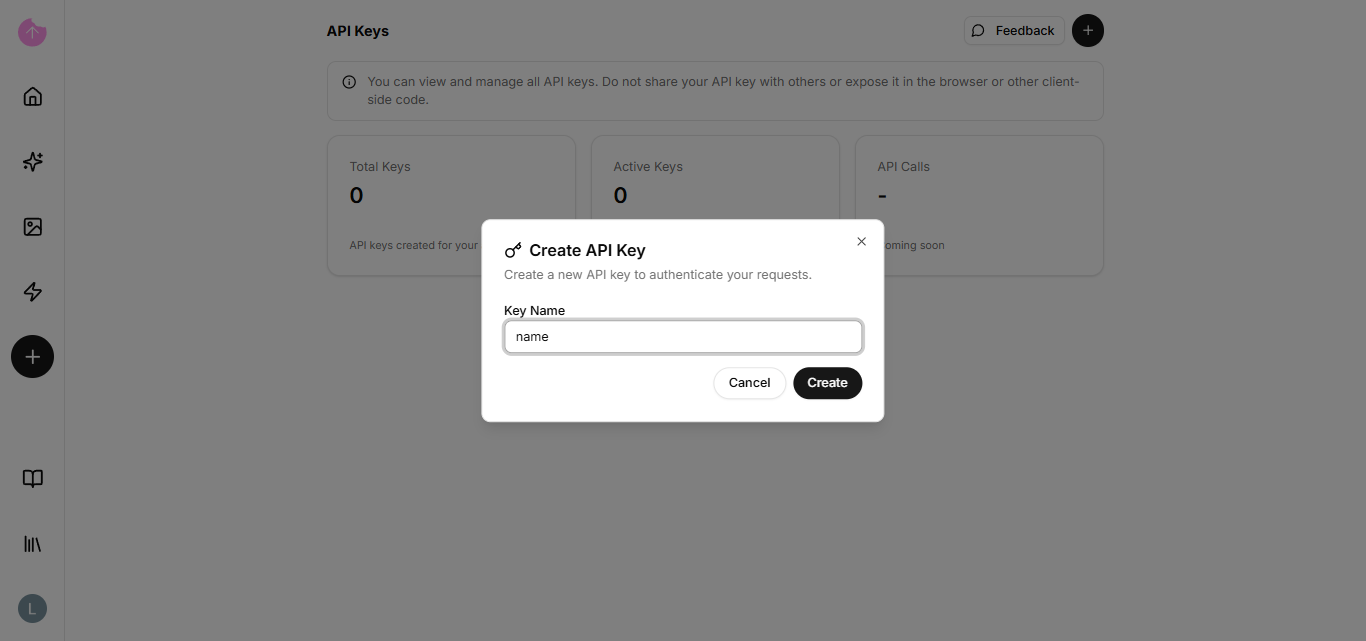
If you don't have a key, you can click the +.
The only field you need to fill in is the API Key name.
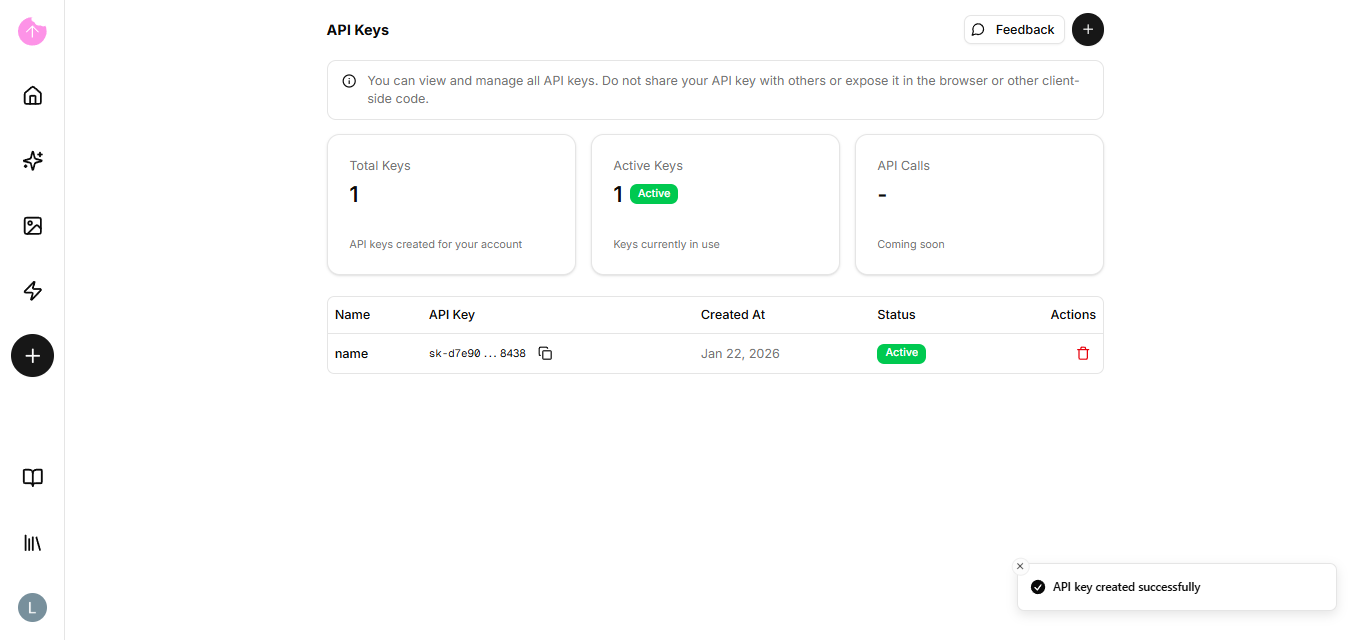
Once the API key is created, you can delete or copy it.
{% hint style="info" %}
Treat your API Key like your house key. You only give it to those you truly trust to enter your system.
{% endhint %}
If you want to learn more about API integrations using a key, [click here](https://docs.snackprompt.com/api-reference/).
Congratulations! You've completed the entire journey: from understanding the architecture, through visual creation with Elementals, intelligence with KBs, to monetization for the Stripe and automation for the Webhooks.
Keep reading to see what's coming soon!