Connect the 'Knowledge Base' to make
Automating Your Workflows with Snack Prompt and Make
Snack Prompt offers a robust API that can be seamlessly integrated with Make, enabling powerful automations to enhance your business processes. By utilizing the endpoints outlined here, you can create custom workflows, automate repetitive tasks, and connect multiple apps, all without writing complex code.
Why Automate with Snack Prompt and Make?
-
Effortless Workflow Automation --- Automate data retrieval, processing, and communication from Snack Prompt directly into your Make scenarios.
-
Custom Triggers and Actions --- Build scenarios where data from Snack Prompt triggers actions in other apps or services, and vice versa.
-
Multi-Step Automations --- Create complex workflows that interact with different platforms, like CRMs, email marketing tools, and more, based on data from your Knowledge Base.
-
Save Time and Reduce Errors --- Automatically handle tasks that would otherwise require manual intervention, reducing human error and freeing up time for more valuable activities.
What You Can Do with Snack Prompt in Make Automations
-
Automate Knowledge Base Updates --- Automatically update or retrieve knowledge base data to keep your internal systems in sync. For example, update a CRM system with new knowledge base entries or automatically sync content with your website.
-
Dynamic Knowledge Base Interactions --- Retrieve specific knowledge base data and use it to populate forms, documents, or other tools. For example, use Snack Prompt data to generate dynamic reports in Google Sheets or Airtable.
-
Chatbot and Virtual Assistant Automation --- Integrate Snack Prompt with your chatbot or virtual assistant workflows in Make. Use API calls to retrieve relevant information from your Knowledge Base in real-time, providing users with personalized responses.
-
Task Automation --- Set up automations where data from Snack Prompt triggers actions in other apps. For example, when new information is added to your Knowledge Base, create a task in Trello, send a Slack notification, or update a Google Sheet.
-
Integration with Third-Party Apps --- Integrate Snack Prompt with tools like Zapier, Slack, Trello, or Google Sheets. Automate cross-platform workflows, such as sending a Slack message when new knowledge base content is added or creating a new record in your CRM when a specific entry is retrieved.
How to Connect Snack Prompt to Make
First of all, you need to have a API Key. If you don't have one, you can create one here.
How to Generate an API Key
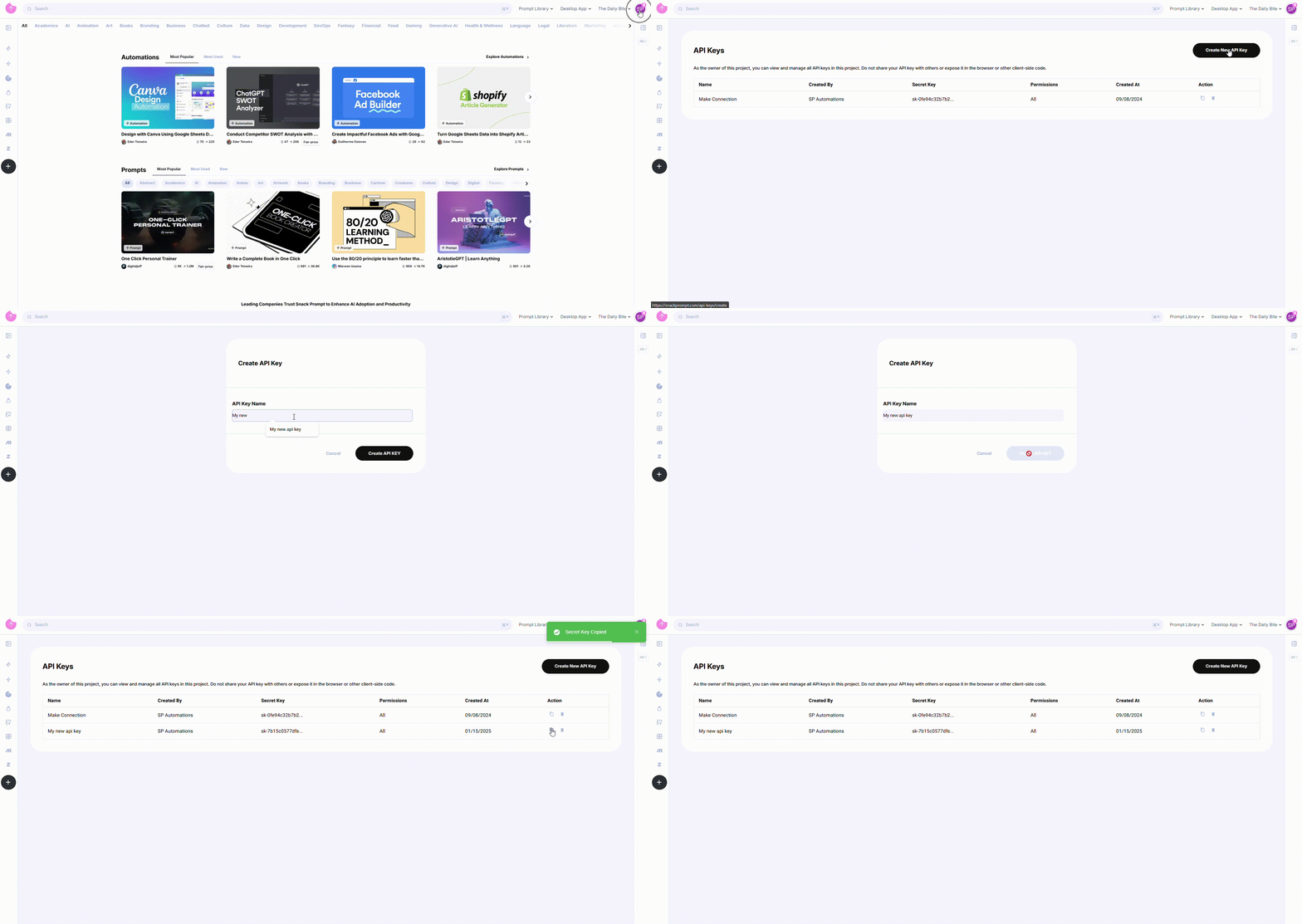
To generate an API Key, follow these steps:
- Log in to your Snack Prompt account.
- Navigate to the API Keys page: https://snackprompt.com/api-keys.
- Click the Create New API Key button.
- Provide a name for your Key to easily identify it later.
- Once created, you can:
- Copy the Key for immediate use.
- Delete the Key when it's no longer needed.
Note: API Keys do not have an expiration date and will remain valid until deleted.
After generating the API Key, you can set up the connection between Snack Prompt and Make
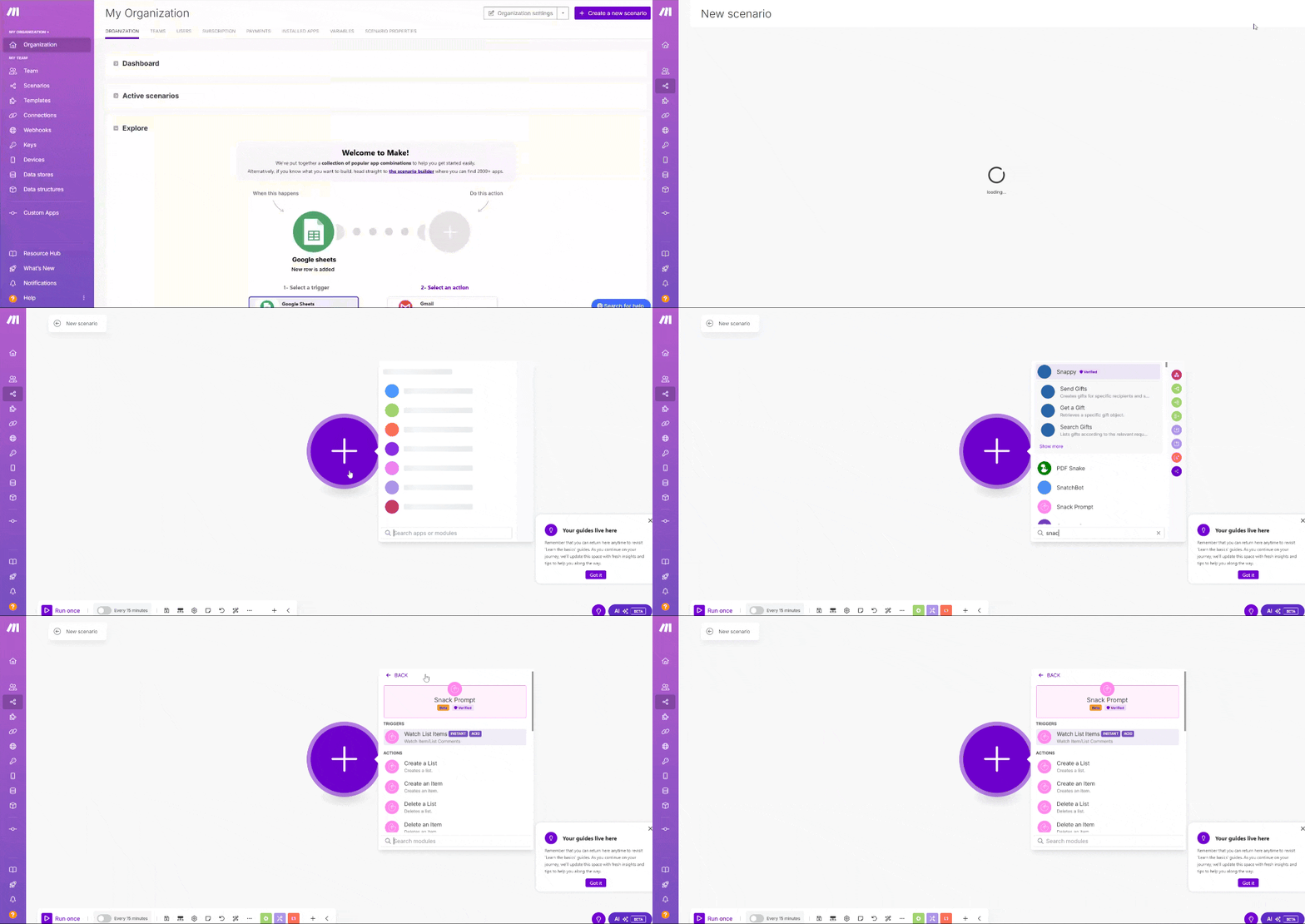
- Go to the Make app.
- Create a new automation.
- Add a new step to your automation.
- Search for the Snack Prompt action.
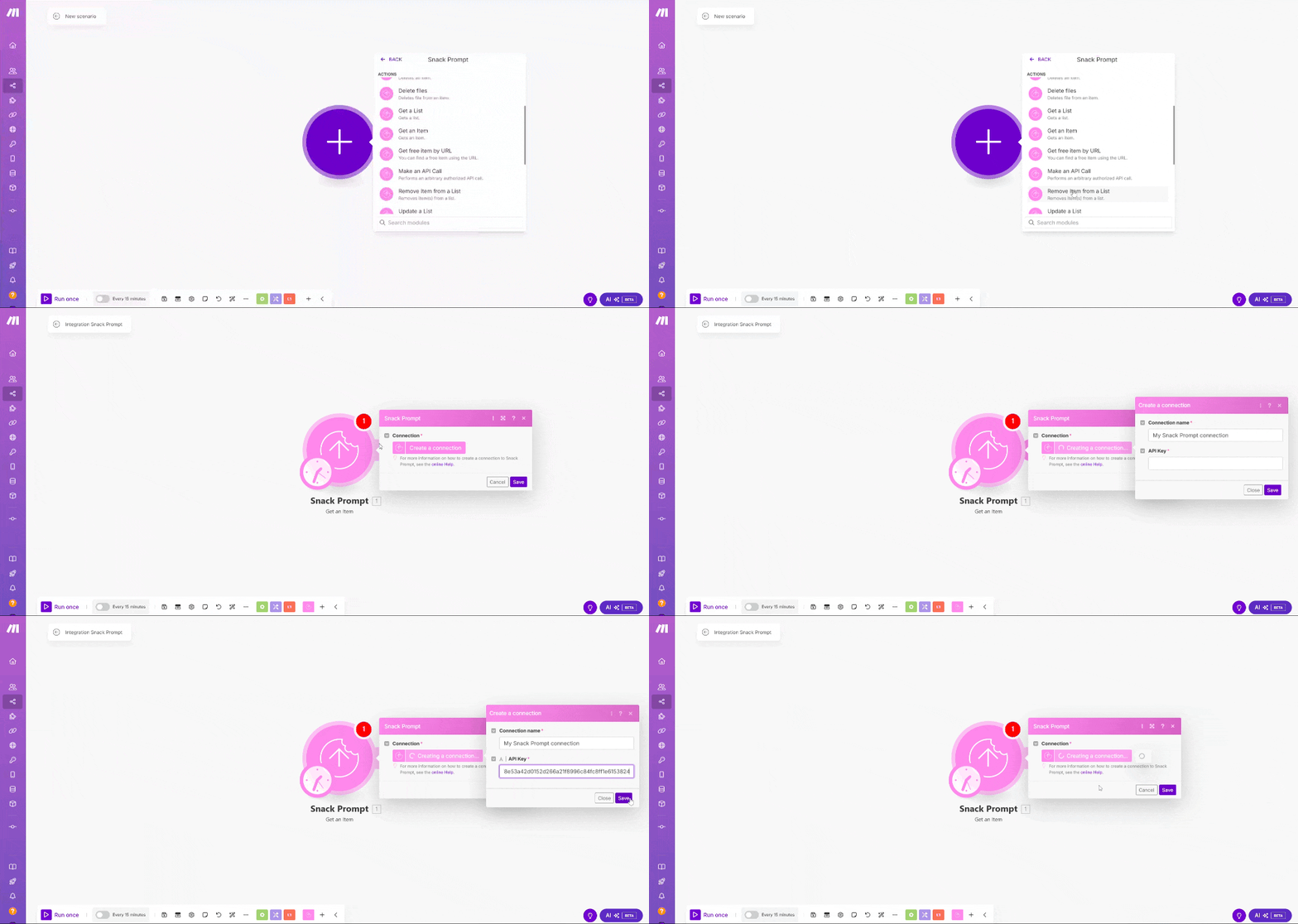
- If it's the first time you are using the Snack Prompt action, you will need to authorize the connection. Use the API Key to authenticate the connection.
- After authorizing the connection, you will need to select the API Key and the Endpoint to use.
How to Get your Knowledge Base Table using Make
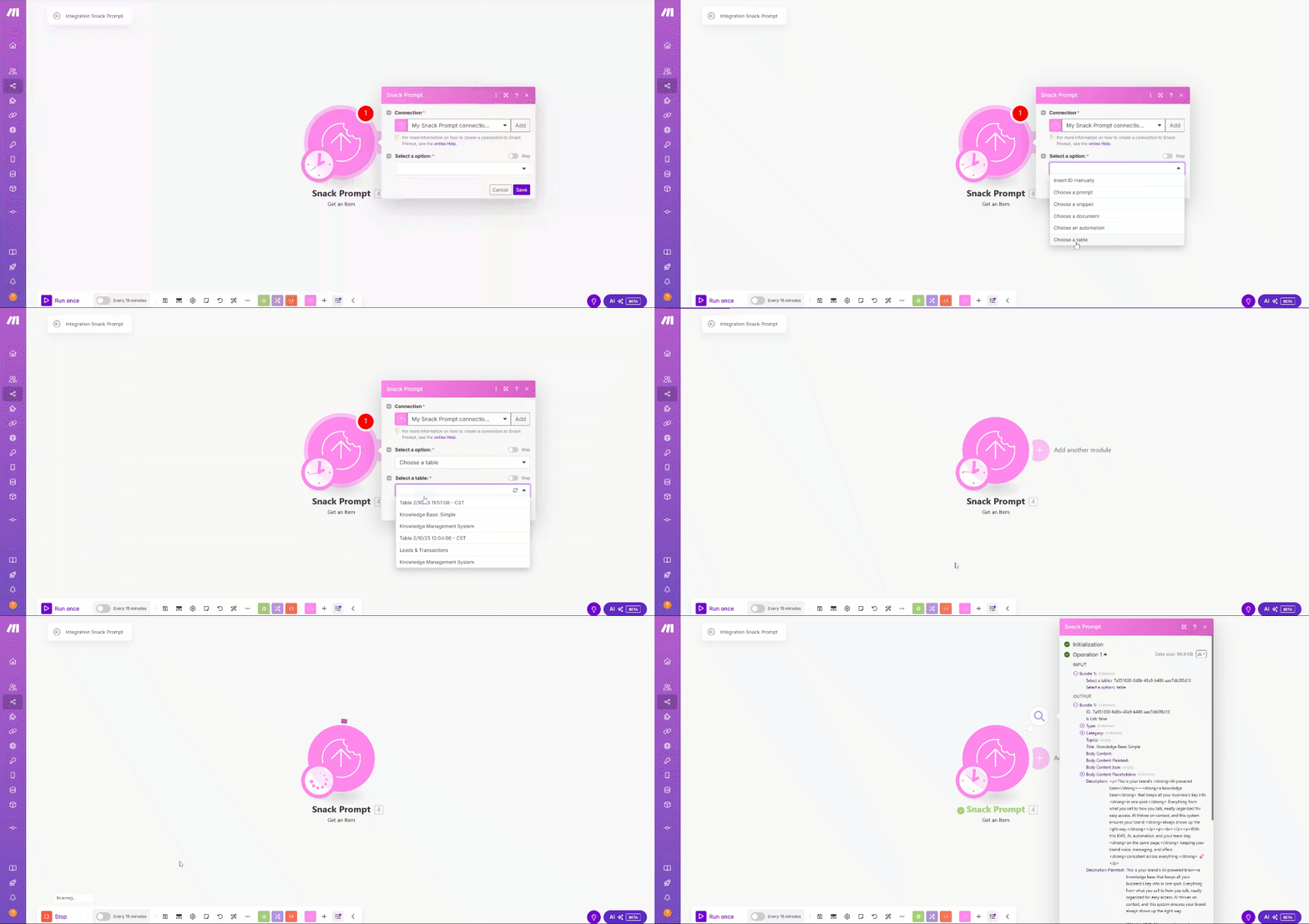
To get your Knowledge Base using Make, you can create a action using the Snack Prompt action called Get a Item. Select the option Insert ID manually if you already know the ID of the Knowledge Base you want to get. Otherwise, you can select the option Choose from a table and then select the Knowledge Base you want to get.
On the GIF below, we will use the option Insert ID manually and select the table Knowledge Base that we want to get the data.
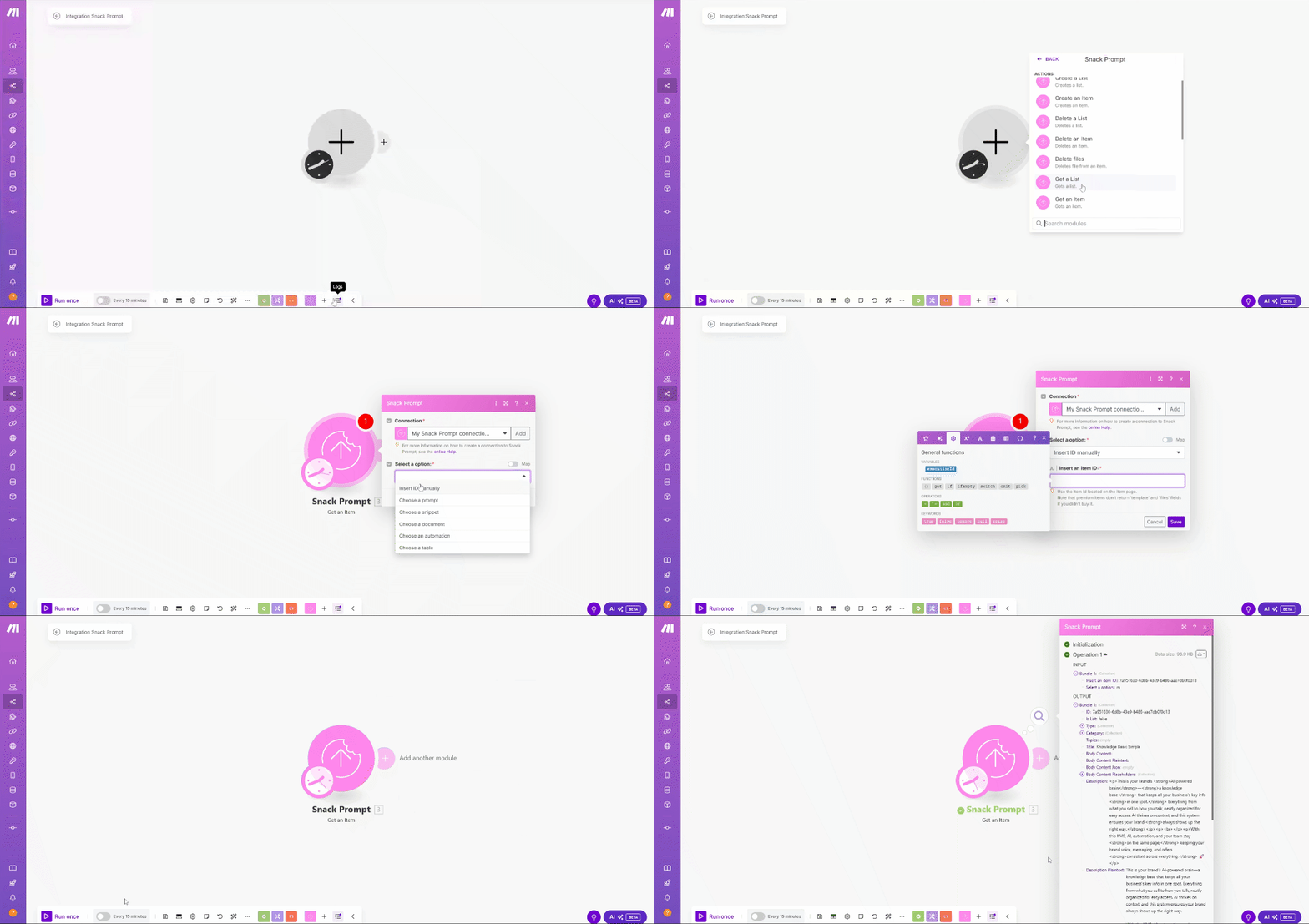
If you choose the option Choose from a table, you will need to select the table or list that contains the Knowledge Base you want to get.
How to Get your Knowledge Base List using Make
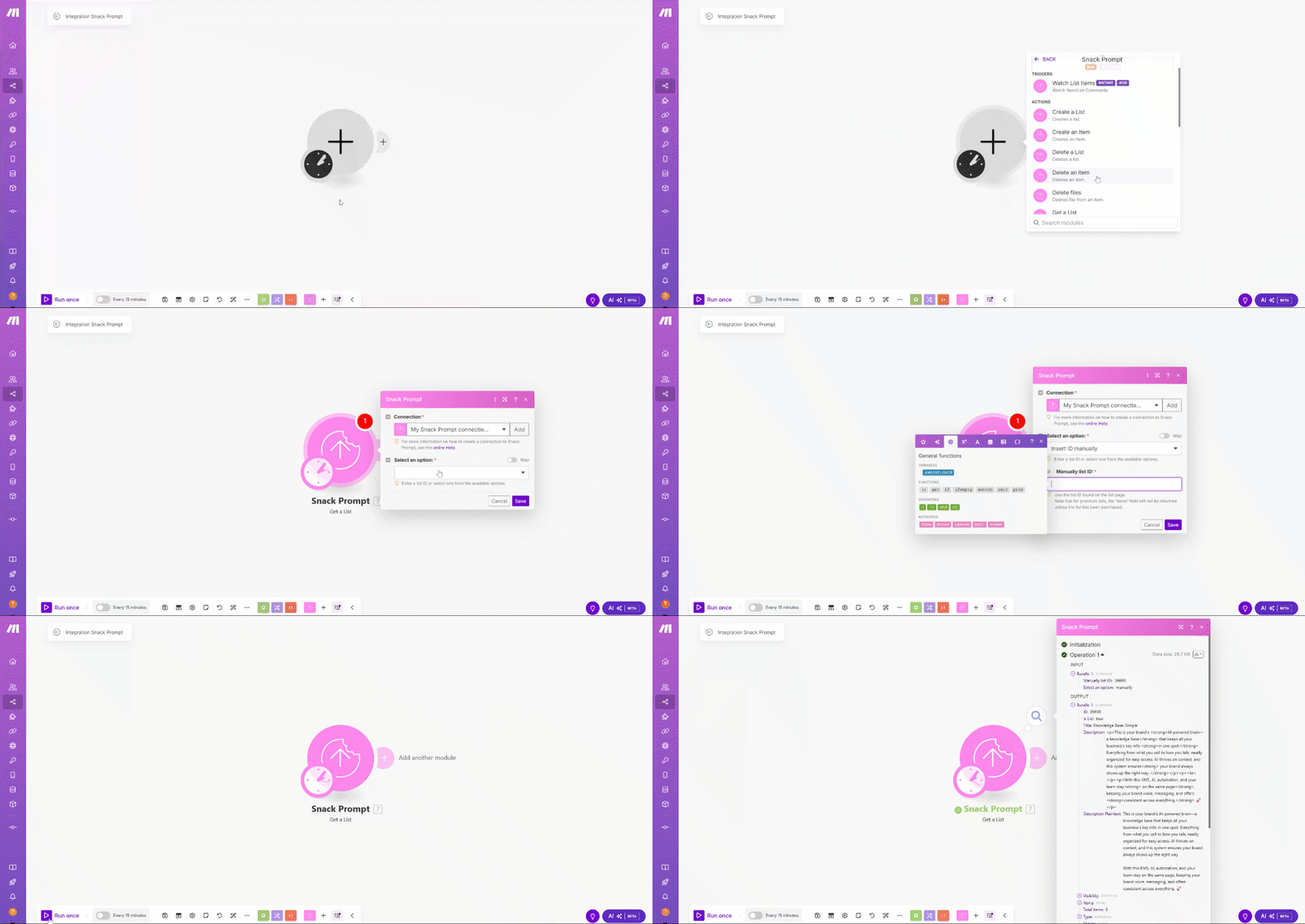
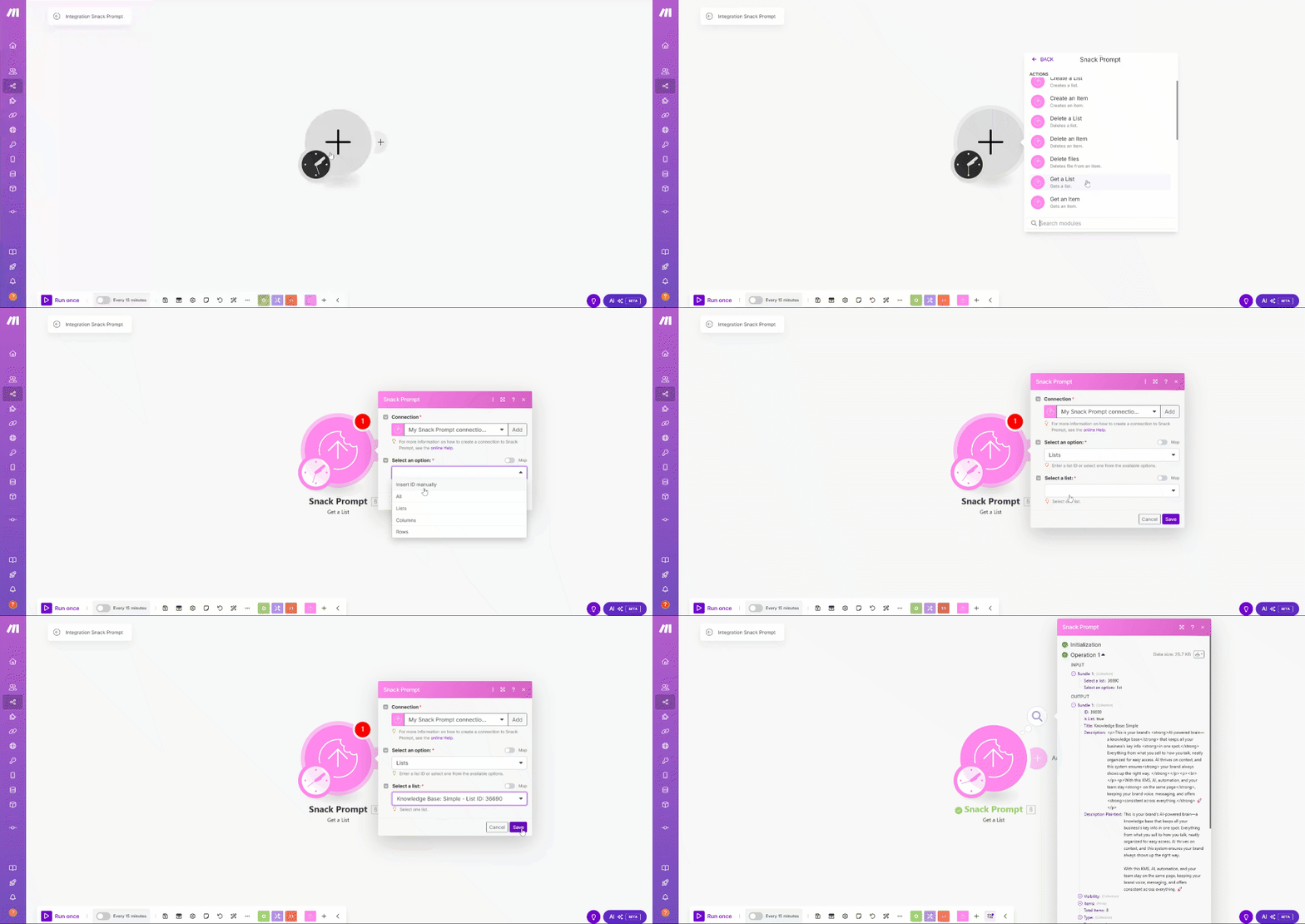
To get your Knowledge Base using Make, you can create a action using the Snack Prompt action called Get a List. Select the option Insert ID manually if you already know the ID of the Knowledge Base you want to get. Otherwise, you can select the option ** List** and then select the list you want to get.
On the GIF below, we will use the option Insert ID manually and select the list Knowledge Base that we want to get the data.
If you choose the option List, you will need to select the list that contains the Knowledge Base you want to get.
Get the compiled return of the Knowledge Base
All this functionality has a compiled return for using the Knowledge Base with a AI model
With the compiled return, you can:
- Train or fine-tune AI models with structured business knowledge.
- Use it in AI platforms like ChatGPT, DeepSeek, Gemini, and others.
- Integrate it into automation workflows, chatbots, or internal knowledge systems.
On the GIF below, we will get the compiled (text and JSON) return of the Knowledge Base Table
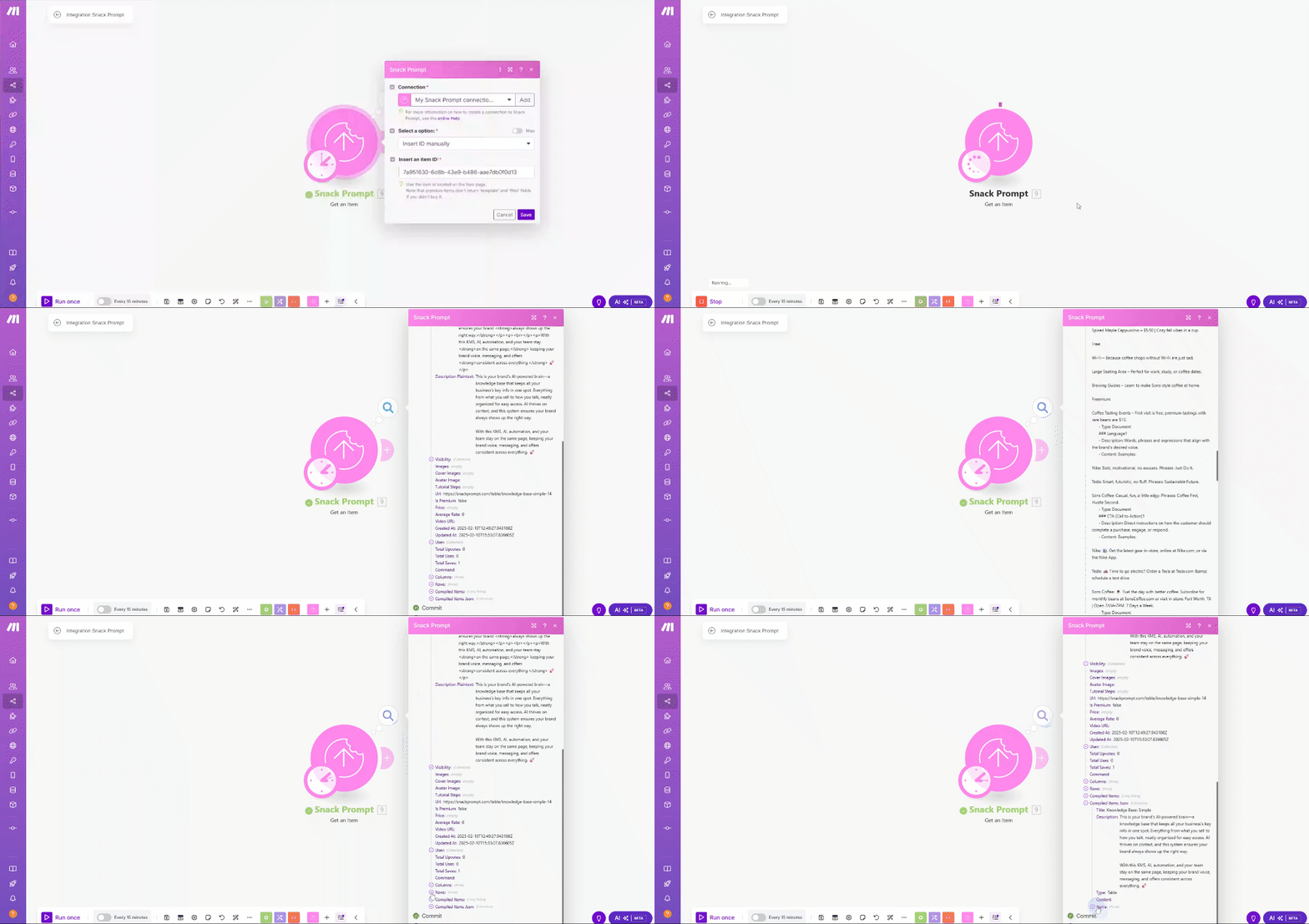
With the compiled return, you can use it in a AI model, like ChatGPT, DeepSeek, Gemini, and others.
Maximizing Efficiency with Snack Prompt and Make
Integrating Snack Prompt with Make provides a powerful way to automate workflows, minimize manual tasks, and improve overall efficiency. By utilizing the available API endpoints, businesses can seamlessly manage knowledge, synchronize data across platforms, and create intelligent, automated interactions between applications. Whether you're updating a CRM, triggering notifications, or automating chatbot responses, this integration allows you to streamline operations effortlessly. Start automating today and unlock the full potential of your Knowledge Base!