Create a Simple 'Knowledge Base' Using our Document Tool
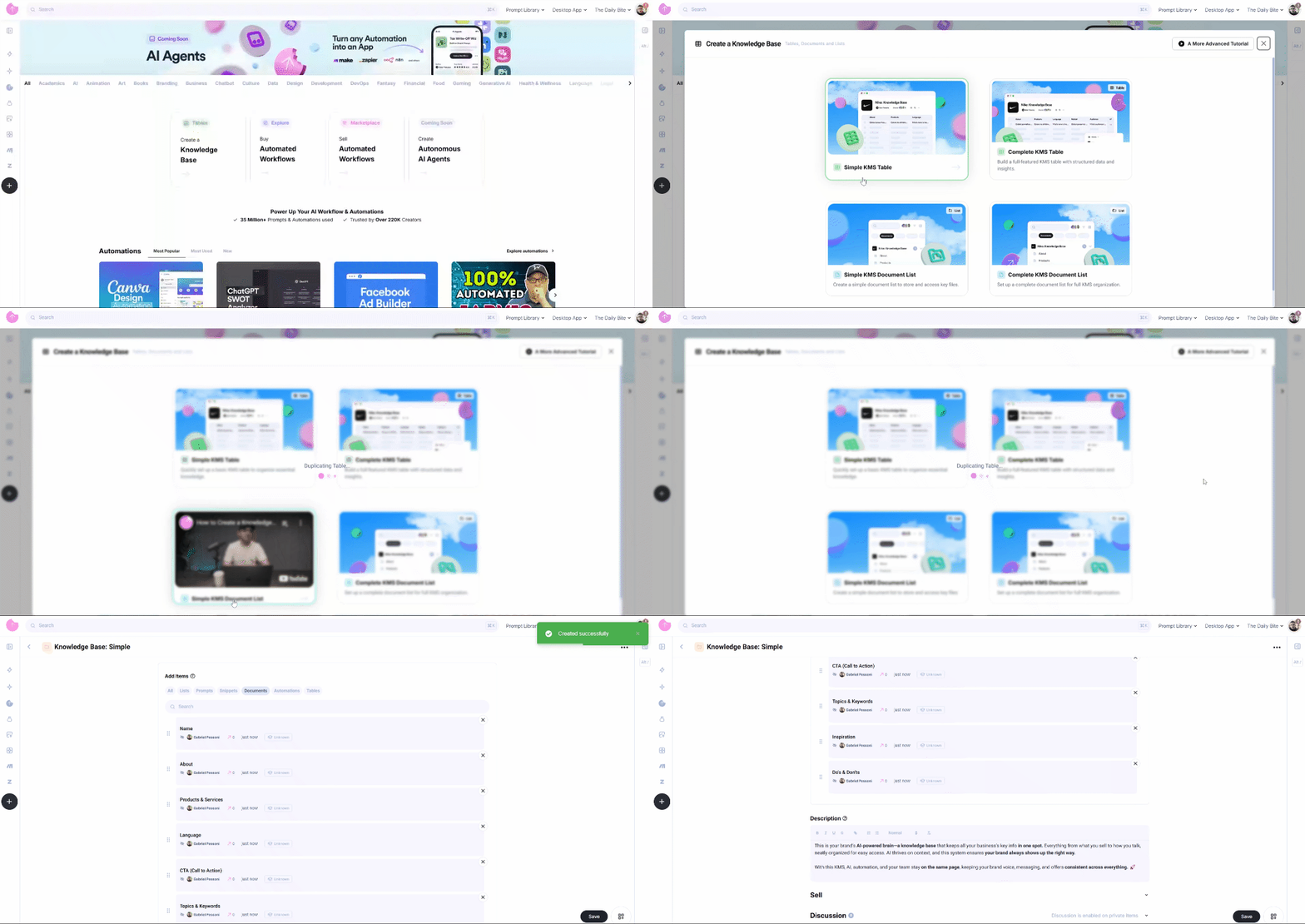
In addition to traditional document storage, "Snack Prompt" offers the ability to create a Knowledge Management System (KMS) using a document list. This format allows users to organize and structure knowledge intuitively, making it ideal for businesses, influencers, and teams managing centralized information. This example is a simple KMS List with documents. This containt a document "Name"
And more...
Create a Simple KMS List
- Click on the "Create a Knowledge Base" card" in home page – Opens a dialog with options to set up your KMS.
- Hover over the "Simple KMS Document List" option – A short video will appear, explaining how this feature works.
- Click on "Simple KMS Document List" – The system will automatically generate a pre-configured list containing an example KMS.
Customizing Your Knowledge Base
One of the key advantages of the Knowledge Base Document List is its flexibility in allowing users to attach various types of content, including:
- Files – PDFs, presentations, internal guides.
- Images – Product photos, company branding.
- Elementals – Prompts, Automations, Tables.
Editing and Expanding Your Knowledge Base
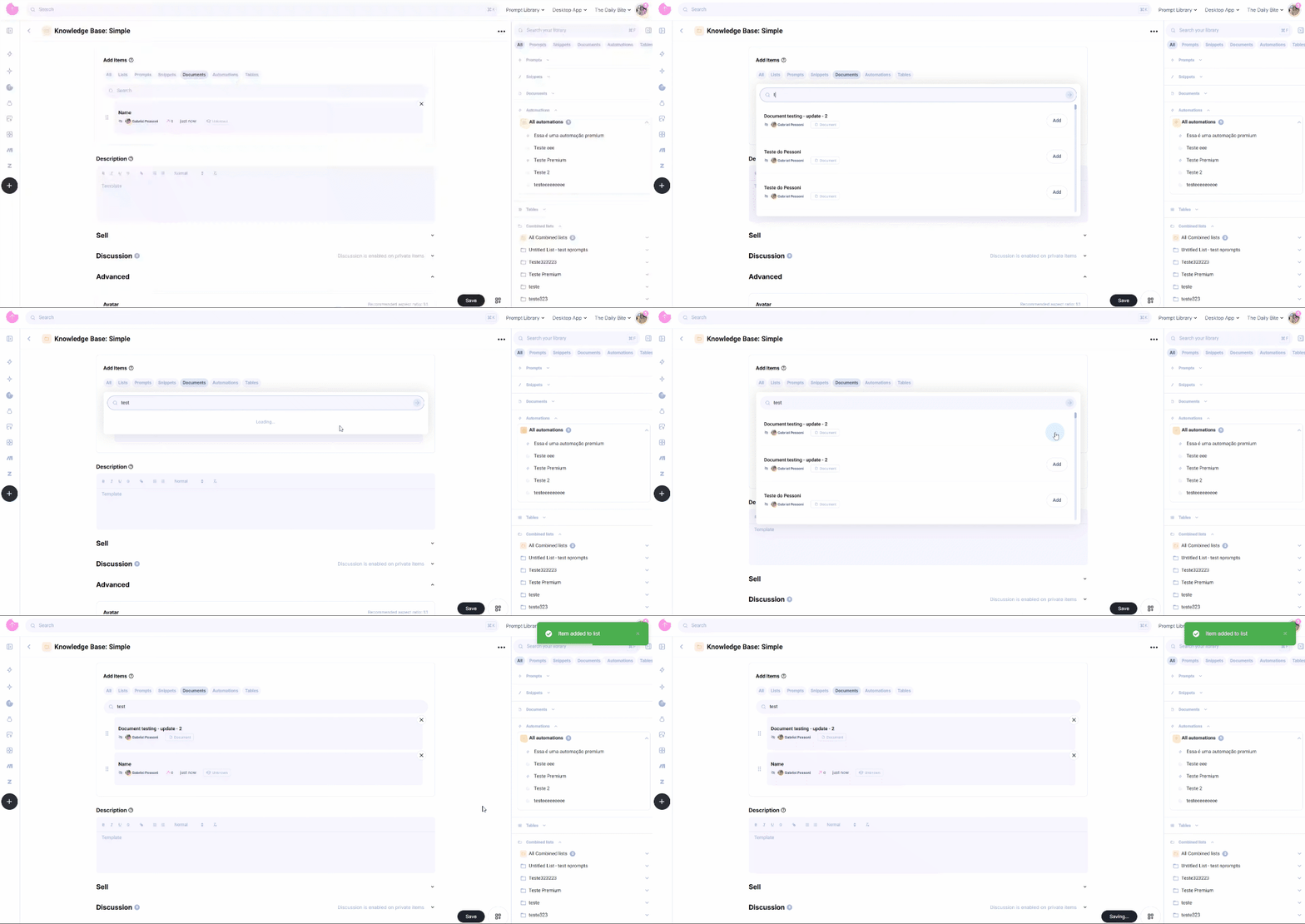
You can fully customize your knowledge base by editing existing documents and adding new elements to the list. To do this:
- Click "Edit List" to modify the structure.
- Add or remove items as needed to keep your knowledge base up to date.
- Scroll down to "Advanced Options" to attach images, files, or any other relevant content using the widgets at the bottom of the list page.
With Snack Prompt’s Knowledge Base Document List, you can easily manage and expand your structured knowledge, ensuring smooth AI integration and enhanced workflow automation.
For a hands-on demonstration, watch the video below, which explains step by step how to create and use a Knowledge Base List in Snack Prompt: