Download Your 'Knowledge Base'
Once you have completed and refined your Knowledge Base, you can easily export the data to integrate with AI systems.
How to Download a Knowledge Base in Snack Prompt
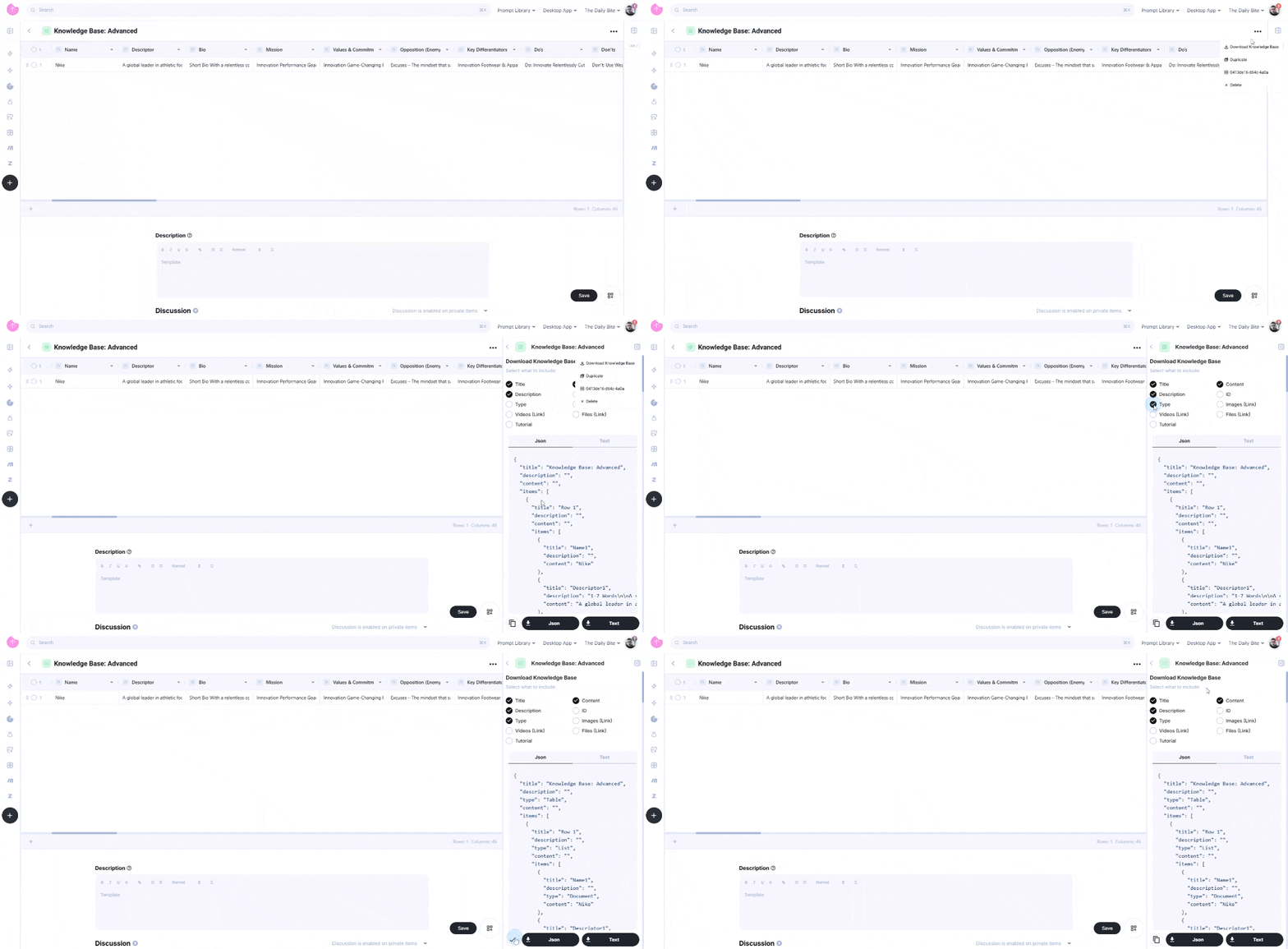
- Click on the three-dot menu at the top of the elemental or list.
- Select "Download a Knowledge Base" – A sidebar menu will appear.
- In the sidebar, you can:
- Choose specific fields to include in your export.
- Select the output format – Choose between Text or JSON.
- Click in the button "JSON or Text" to extract your structured knowledge base. You can also copy the text to your clipboard, clicking in the button with the icon of the clipboard.
How to Use the Exported Knowledge Base
With the exported file, you can:
- Train or fine-tune AI models with structured business knowledge.
- Use it in AI platforms like ChatGPT, DeepSeek, Gemini, and others.
- Integrate it into automation workflows, chatbots, or internal knowledge systems.
By exporting your Knowledge Base, you ensure seamless integration with AI tools, allowing for enhanced productivity and automation.
How to Get a Knowledge Base using the API of Snack Prompt
Generating an API Key
To generate an API Key, follow these steps:
- Log in to your Snack Prompt account.
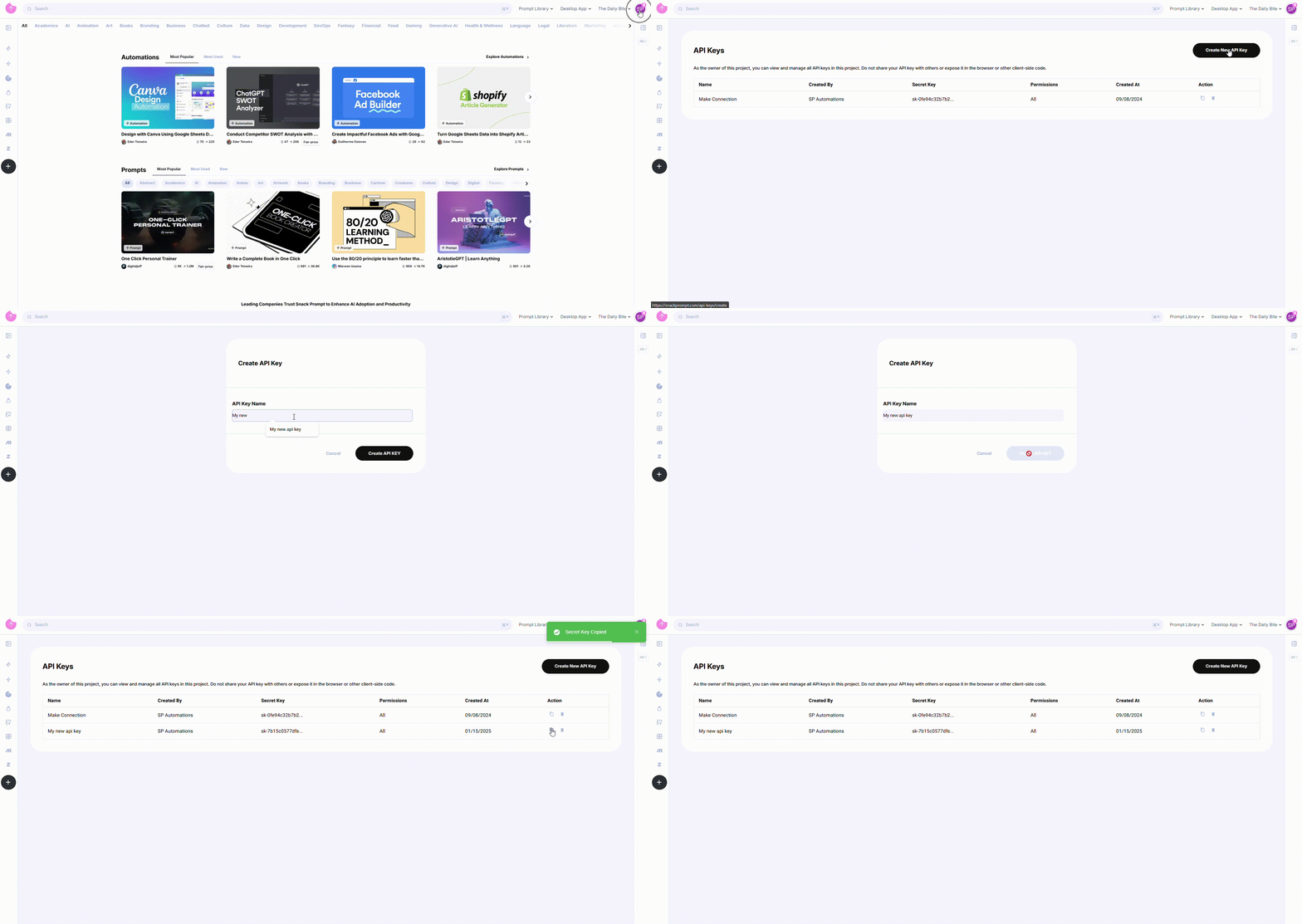
- Navigate to the API Keys page: https://snackprompt.com/api-keys.
- Click the Create New API Key button.
- Provide a name for your Key to easily identify it later.
- Once created, you can:
- Copy the Key for immediate use.
- Delete the Key when it's no longer needed.
Note: API Keys do not have an expiration date and will remain valid until deleted.
Using Your API Key
To authenticate your API requests, include your API Key in the request header as follows:
x-api-key: YOUR_API_KEY
Downloading a Knowledge Base via API
To download a Knowledge Base using the Snack Prompt API, make a GET request to the following endpoint:
Endpoint
GET /v1/elemental/{id}/knowledge-base
Example Request
GET /v1/elemental/123e4567-e89b-12d3-a456-426614174000/knowledge-base?format=json&fields=id,title,content&group_by=row
x-api-key: YOUR_API_KEY
Example Response
{
  "code": 200,
  "meta": { "version": "v1.0.0", "is_authenticated": true },
  "response": {
    "title": "Prompt Title",
    "description": "This is my prompt",
    "type": "Prompt",
    "content": "Content of the prompt"
  }
}
By using this API, you can programmatically download and integrate your Knowledge Base into AI systems, automation tools, or internal platforms. For a complete list of the fields that can be downloaded, params and response, please refer to the Elementals section.